Mountainy's Onboarding Checklist
Last updated: March 13, 2026
Overview
Welcome to Mountainy. This guide outlines the key steps involved in onboarding your brand into our fulfillment network.
The checklist below provides a high-level overview of the onboarding process and links to additional articles where more detailed instructions are required. Completing these steps will ensure your store, products, and inbound inventory are properly prepared before fulfillment begins.
Step 1: Dedicated Slack Channel
Before beginning the technical onboarding process, we create a dedicated Slack communication channel between your team and Mountainy.
This channel serves as the central hub for communication throughout onboarding and ongoing operations. It allows our operations, account management, and warehouse teams to stay aligned and respond quickly to questions or updates.

Using a shared channel ensures that important information remains visible to the right people and helps keep communication organized as we move through setup and begin fulfillment.
This channel will remain your primary line of communication with Mountainy as we move through onboarding and into ongoing fulfillment operations.
Step 2: Connect Your Shopify Store
The first step in onboarding is connecting your Shopify store to Mountainy’s WMS (ShipHero). This integration allows orders, products, and inventory to sync directly between Shopify and our WMS.
To begin this process, our team will request Shopify collaborator access to your store.
Once collaborator access is approved, our team will install the ShipHero Inventory & Shipping app into your Shopify store to complete the integration. This enables Shopify and our WMS to begin syncing orders, products, and inventory automatically.

Once the integration is complete, your store will be connected to our system and ready for the next stage of onboarding.
Helpful Resource
Shopify Collaborator Access — Why Mountainy Requests It
Step 3: Set Up Your Client Portal
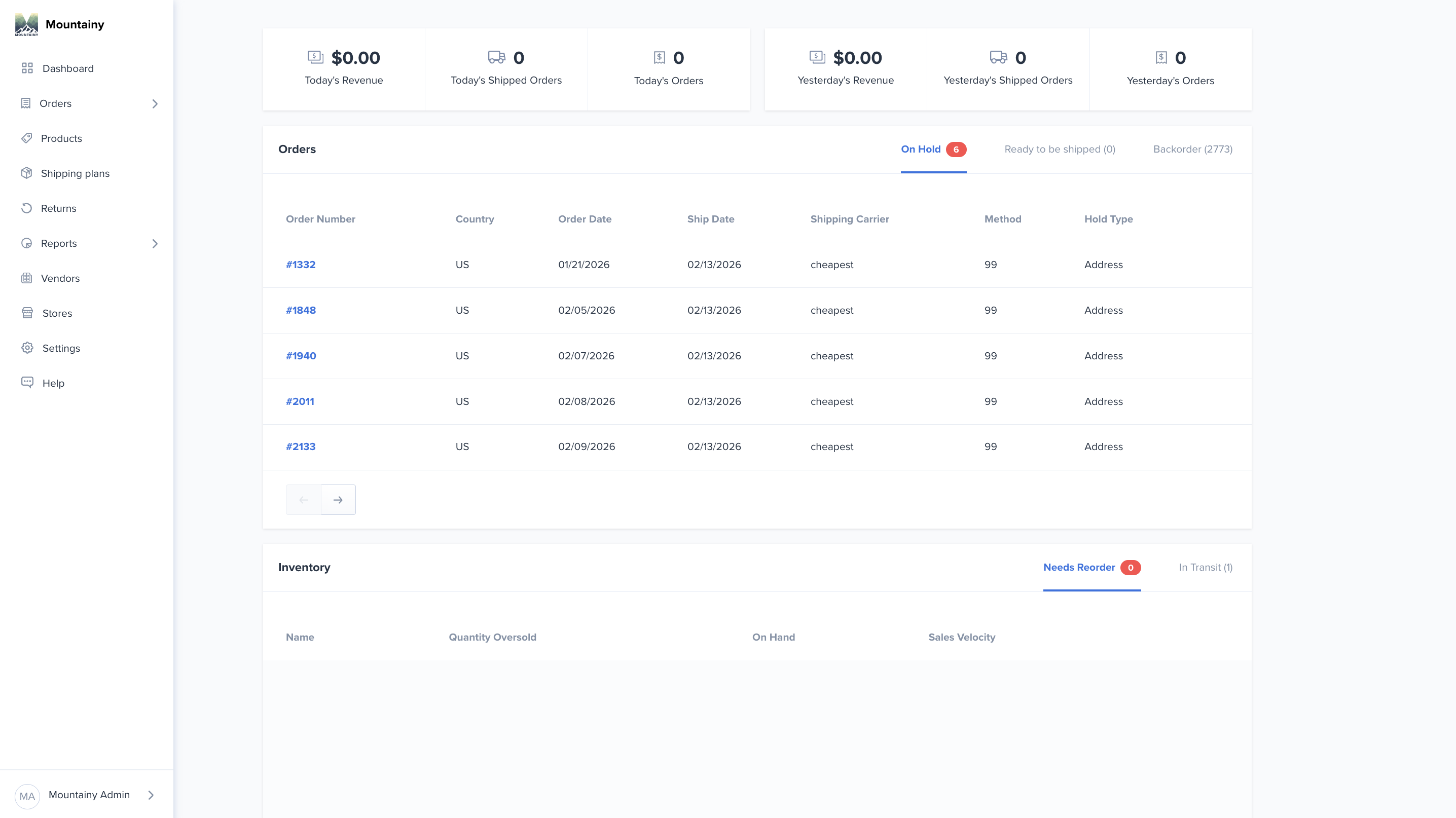
Once your store is connected, the next step is setting up access to the Mountainy 3PL Client Portal. This portal gives your team real-time visibility into your fulfillment operations and serves as your central hub for managing inventory and orders.
Within the portal, your team will be able to:
• Monitor order activity and fulfillment status
• View and manage SKU and inventory levels
• Create and track inbound shipping plans / purchase orders
• Identify order holds or inventory issues
• Access operational reporting and shipment data
To set up portal access, we will need the email addresses of the team members who should have access to the account, along with the appropriate permission level for each user.
Common access levels include:
• Customer Service Access — view orders, track shipments, and review order details
• Admin Access — full account visibility including inventory management, inbound shipments, and reporting
Once we receive this information, we will create the user accounts and provide login access so your team can begin familiarizing themselves with the system.
Helpful Resources
Step 4: Configure Products & Fulfillment Settings
After your store and portal access are set up, the next step is reviewing your product catalog and configuring fulfillment settings within our system.
During this stage, our team works with you to ensure that your SKUs, product structure, and fulfillment preferences are properly configured before orders begin shipping.
This step typically includes:
• Reviewing your SKU structure and product catalog
• Confirm how bundles, kits, or multipacks should be fulfilled
• Identifying any duplicate or similar SKUs that may require clarification
• Discussing packaging preferences such as boxes, poly mailers, or bubble mailers
• Setting up any shipping automation rules or special fulfillment workflows
• Verifying that carrier mappings in ShipHero align with the correct Shopify shipping methods
Completing this review helps ensure orders are fulfilled accurately and prevents operational issues once fulfillment begins.
Helpful Resource
What Are Automation Rules and How Do They Help?
Step 5: Prepare Your First Inbound Shipment
Once your products and fulfillment settings have been reviewed, the next step is preparing your first inventory shipment to Mountainy.
Before inventory is shipped, your team will create a Shipping Plan / Purchase Order (PO) within the 3PL Client Portal. This allows our warehouse team to prepare for the incoming inventory and ensures the receiving process is smooth and accurate.
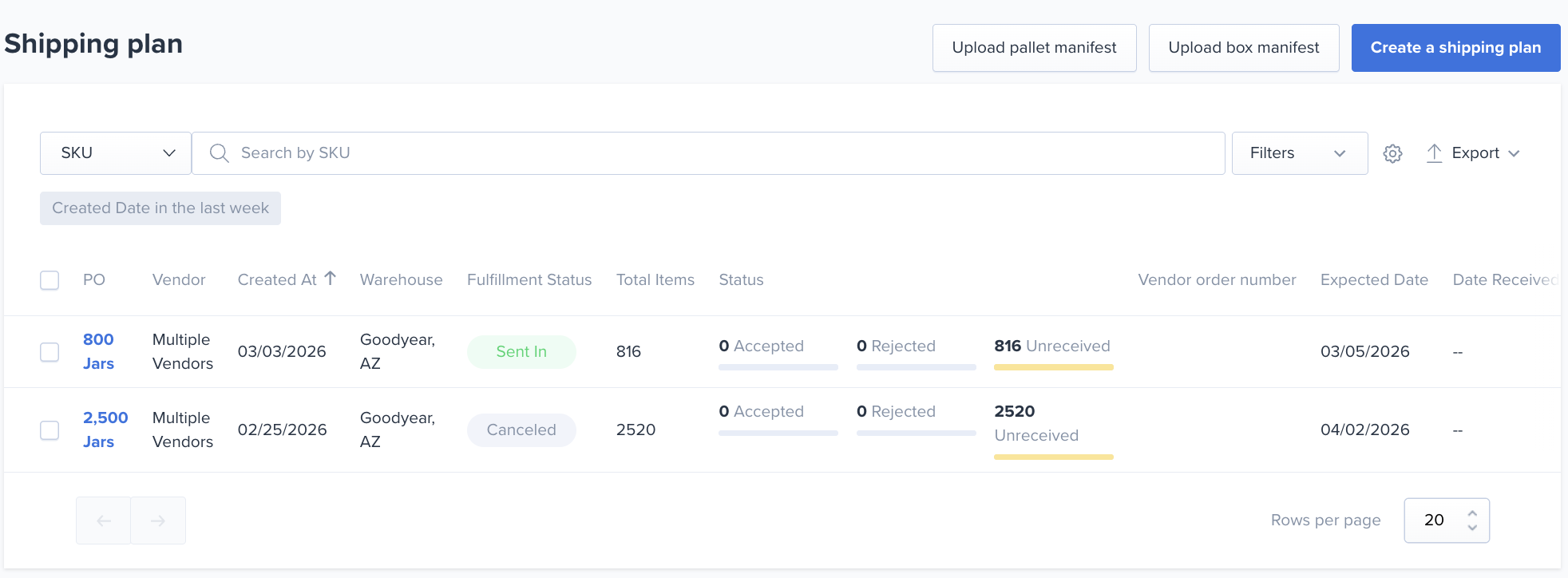
During this step, your team will:
• Create a Shipping Plan / Purchase Order in the 3PL portal
• Coordinate shipment timing with your supplier or warehouse
• Review Mountainy’s Receiving Guidelines to ensure inventory arrives properly labeled and prepared
Following these guidelines helps our receiving team process your inventory quickly and accurately once it arrives at the facility.
Helpful Resources
How to Create a Shipping Plan / Purchase Order
Step 6: Complete Administrative Setup
As onboarding nears completion, the final step is confirming that all required administrative items are in place before fulfillment begins.
During this stage, our team will review any remaining account details and ensure all documentation has been completed. This helps ensure your account is fully configured and ready for operational handoff.
This may include:
• Completing the Finalized Fulfillment Agreement
• Completing the Inventory Insurance Waiver
• Confirming your billing and payment method
• Finalizing any remaining fulfillment preferences or operational details
Once these items are completed, your account will be fully prepared for fulfillment operations.
Helpful Resource
Step 7: Confirm Go-Live & Begin Fulfillment
Once your inventory has been received and verified, the final step is confirming your official go-live date with the Mountainy team.
During this step, we will confirm the date (or specific order number) that marks the transition of fulfillment operations to Mountainy. From that point forward, our team will begin fulfilling all eligible orders from your Shopify store.
Orders that are placed before 2:00 PM local warehouse time will be eligible for same-day fulfillment, provided inventory is available and no order holds are present.
After go-live is confirmed, our warehouse team will begin processing orders and your team will be able to monitor order activity, inventory levels, and inbound shipments through the 3PL Client Portal.
Onboarding Complete!
Once these steps are completed, your brand is fully onboarded with Mountainy and fulfillment operations are officially underway.
Your dedicated Slack channel will remain the primary place to communicate with our team for operational questions, updates, or support.
We’re excited to support your brand and look forward to building a successful fulfillment partnership!